Computer Golf Server StatusNo problems detected

OPERATIONAL
0 reports in the last 24 hours
Downtester alerts
14-day trial. No card required.

Know the moment it breaks

Instant email and push alerts when this service goes down, degrades, or recovers. Monitored from real user reports, not a ping bot.

VIEW PLANS

Start your 14-day trial. No card required.

Computer Golf Is Operational · All Systems Normal

Computer Golf is fully operational with no issues detected. All systems are running smoothly. Check this page for real-time Computer Golf server status updates.

Report a Problem

Select the type of issue you're experiencing:

No Preview Available
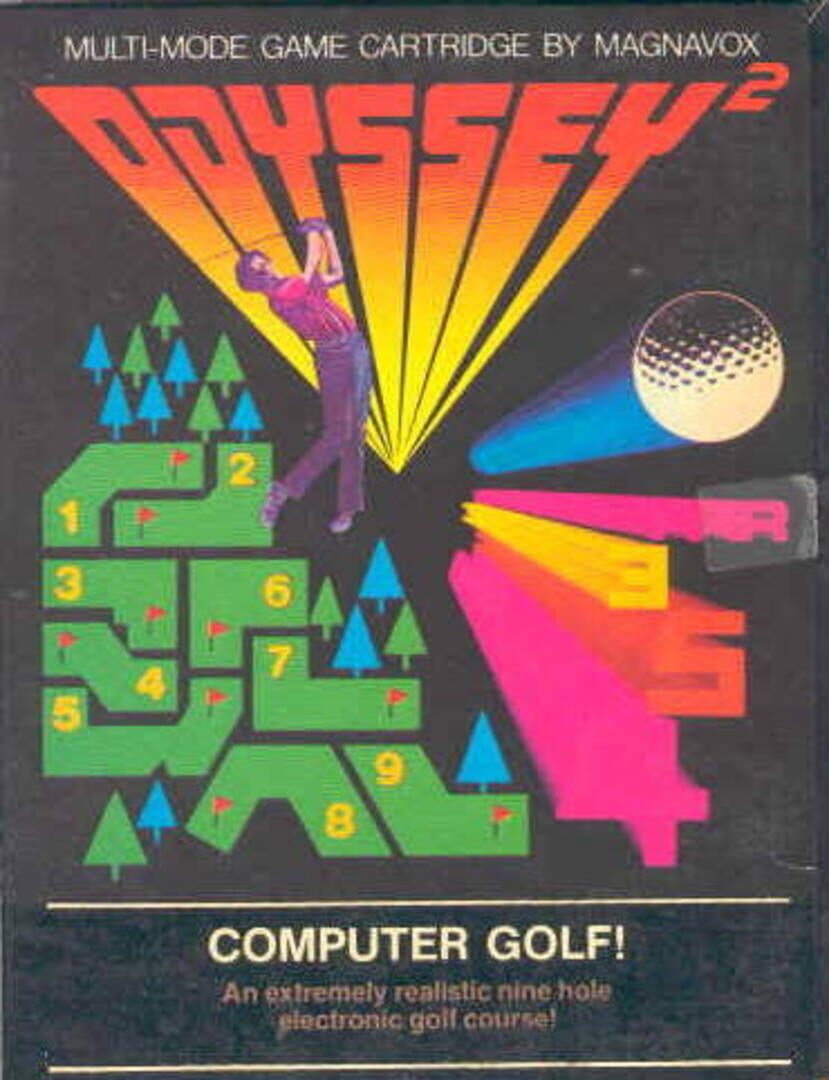
Computer Golf Cover

Computer Golf

Publisher & Developer
Release Information
Release Date: February 1, 1978
Genres & Themes
Game Perspective
Game Modes

Computer Golf Server Status & Outage Tracker

Monitor Computer Golf's service health in real-time. View current system performance, active outage reports, and regional impact data to stay updated on service stability across all regions.

Outage Reports

0

0 reporting browser sessionsLast 24h

0

0 reporting browser sessionsLast hour

Main Issue (24h)

Gameplay

Gameplay
0 reports
Incident history
24 HOURS AGONOW

Each segment is classified from real user reports using our default thresholds: an hour with 20 or more reports is marked as an outage, 6 or more as degraded. Hover any segment for the exact report count.

About Computer Golf

Press 1, 2, 3, or 4 on the alpha-numeric keyboard to correspond with the number of players. The first hole and an electronic golfer will appear on the screen. The number at the top right of the screen indicates the hole being played. The player's scores will appear at the top left of screen in order of play. The first player's score will be farthest left. The fourth player's score will be at the farthest right. If you are playing on a color TV, the color of your score will match the color of your electronic golfer. Once the ball is on the green (the lighter geometric segment of the course) the TV picture will automatically change to a close-up of the green so that the electronic golfer can putt out. The trees on the course are hazards and will stop the flight of the ball. A drive into the trees will elicit a very human reaction from the electronic golfers. The dark area outside the course is the "rough." A ball must be hit back on the course when it's in the "rough." The golfers cannot drive through the rough to get to the green. Each golfer plays through the entire hole before it is the next golfer's turn. Use the joy stick of the hand control units to walk the electronic golfers around the course. The left hand control is shared by players 1 and 3. The right hand control is shared by players 2 and 4. The direction of the joy stick controls the direction the electronic golfers will walk. They will walk in all vertical, horizontal and diagonal directions in accordance with the joy stick's position. The toe of the club must overlap the ball at the start of the backswing. The action button on the hand control unit controls the swing of the club. Press down to start the backswing. The longer you press the action button, the higher the backswing. The distance traveled by the ball is determined by the length of the backswing. If you bring the backswing full circle, the club will release automatically, and the distance the ball travels will be random. Release the action button to hit the ball. The backswing of the club will always be clockwise, and the downswing will always be counter-clockwise. The direction taken by the ball will be dependent on the golfer's position in relation to it. It will be perpendicular to the angle of the toe of the club when it makes contact with the ball. You can walk your electronic golfer away from the ball and take a practice swing to confirm direction. There is no stroke penalty for this. If you are addressing the ball and starting your backswing, but wish to change the position of your electronic golfer - simply walk him away from the ball and release the action button. There is no penalty The player with the lowest score for the nine holes is the winner. To play again, press the RESET key on the console and then press 1, 2, 3 or 4 on the alpha-numeric keyboard. COMPUTER GOLF! Nine holes. Par 36 Hole 1 - Par 4 Hole 2 - Par 4 Hole 3 - Par 3 Hole 4 - Par 4 Hole 5 - Par 5 Hole 6 - Par 3 Hole 7 - Par 4 Hole 8 - Par 5 Hole 9 - Par 4

Live Server Status - Last 24 Hours

Track real-time Computer Golf server status and outage reports with our live monitoring system. Our advanced detection algorithm analyzes submitted connection problem reports, server issues, and service disruptions across the last 24 hours. By comparing current Computer Golf server performance against historical data patterns, we instantly identify potential outages when report volumes exceed normal thresholds. Whether Computer Golf is down for maintenance or experiencing unexpected connectivity issues, our status tracker provides accurate, up-to-the-minute updates on service availability and network status.

Outage Reports

What problems are you having with Computer Golf?

Computer Golf Incidents

0

Last 24 hours

Current Hour

0

0% vs previous 15 min
Computer Golf Primary Problem

Gameplay

0 reports (0%)

Computer Golf - Top Reported Problems (Last 24 Hours)

connection

0

0% of total reports

performance

0

0% of total reports

login

0

0% of total reports

gameplay

0

0% of total reports

User-reported outages
More services under watch

Comments

0 comments

Join the conversation

Sign in to share your thoughts and connect with the community

No comments yet

Be the first to share your thoughts!